

Download this example
Download this example as a Jupyter Notebook or as a Python script.
Parametric differential vias#
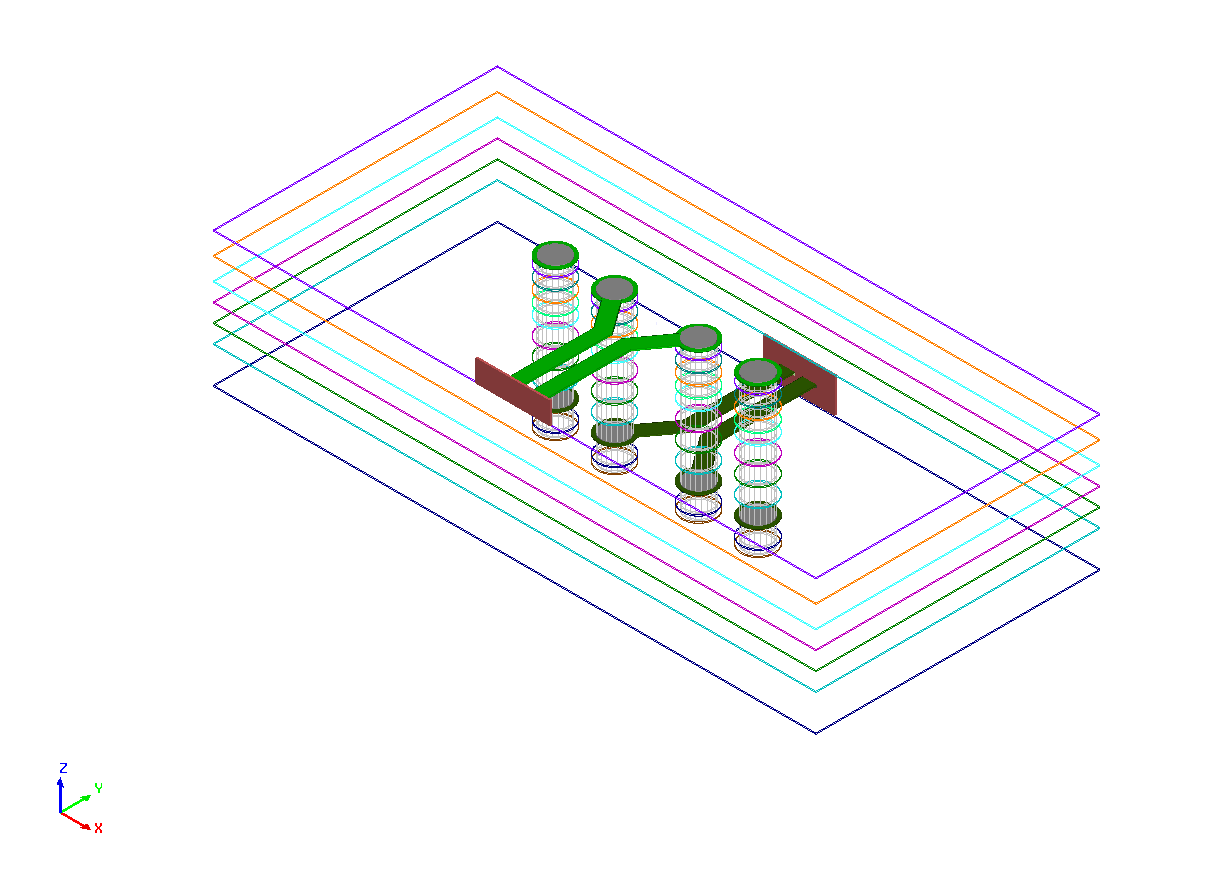
This example demonstrates how a differential via pair can be created using the EDB Python interface.
The final differential via pair is shown below.
Keywords: Differential Via
Prerequisites#
Perform imports#
[1]:
import os
import tempfile
import time
[2]:
import pyedb
Define constants#
Constants help ensure consistency and avoid repetition throughout the example.
[3]:
AEDT_VERSION = "2026.1"
NG_MODE = False  # Open AEDT UI when it is launched.
[4]:
temp_folder = tempfile.TemporaryDirectory(suffix=".ansys")
Start the EDB#
[5]:
aedb_path = os.path.join(temp_folder.name, "diff_via.aedb")
print(f"AEDB file path: {aedb_path}")

edb = pyedb.Edb(edbpath=aedb_path, version=AEDT_VERSION)
AEDB file path: C:\Users\ansys\AppData\Local\Temp\tmpfzj_fc6w.ansys\diff_via.aedb
PyEDB INFO: gRPC mode enabled.
PyEDB INFO: Logger is initialized in EDB.
PyEDB INFO: legacy v0.85.dev0
PyEDB INFO: Python version 3.10.11 (tags/v3.10.11:7d4cc5a, Apr  5 2023, 00:38:17) [MSC v.1929 64 bit (AMD64)]
WARNING - The installed EDB_RPC_Server does not support shared-memory IPC. Falling back to standard gRPC communication. Update to the latest version of AEDT for improved performance.
PyEDB INFO: Grpc session started: pid=2984
PyEDB INFO: RPC session acquired (open databases: 1)
PyEDB INFO: Refreshing the Components dictionary.
PyEDB INFO: EDB C:\Users\ansys\AppData\Local\Temp\tmpfzj_fc6w.ansys\diff_via.aedb created correctly.
PyEDB INFO: EDB initialized.
Model Creation#
Add stackup layers#
A stackup can be created layer by layer or imported from a configuration file.
[6]:
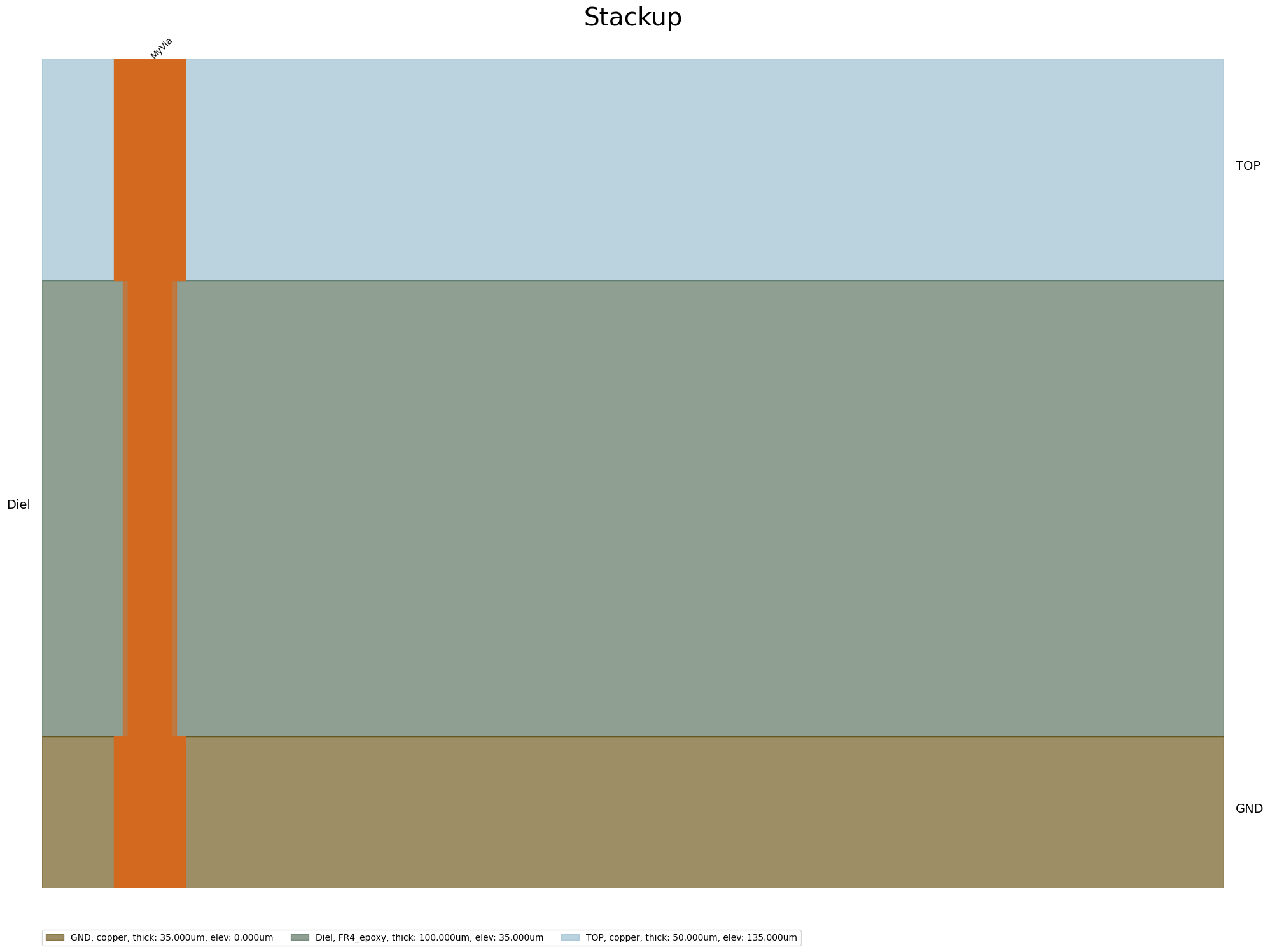
edb.stackup.add_layer("GND")
edb.stackup.add_layer("Diel", "GND", layer_type="dielectric", thickness="0.1mm", material="FR4_epoxy")
edb.stackup.add_layer("TOP", "Diel", thickness="0.05mm")
[6]:
True
Create signal nets and ground planes#
Create a signal net and ground planes.
[7]:
points = [[0.0, 0], [100e-3, 0.0]]
edb.modeler.create_trace(points, "TOP", width=1e-3)
points = [[0.0, 1e-3], [0.0, 10e-3], [100e-3, 10e-3], [100e-3, 1e-3], [0.0, 1e-3]]
edb.modeler.create_polygon(points, "TOP")
points = [[0.0, -1e-3], [0.0, -10e-3], [100e-3, -10e-3], [100e-3, -1e-3], [0.0, -1e-3]]
edb.modeler.create_polygon(points, "TOP")
[7]:
<pyedb.grpc.database.primitive.polygon.Polygon at 0x1c0c05f6740>
Place vias#
[8]:
edb.padstacks.create("MyVia")
edb.padstacks.place([5e-3, 5e-3], "MyVia")
edb.padstacks.place([15e-3, 5e-3], "MyVia")
edb.padstacks.place([35e-3, 5e-3], "MyVia")
edb.padstacks.place([45e-3, 5e-3], "MyVia")
edb.padstacks.place([5e-3, -5e-3], "MyVia")
edb.padstacks.place([15e-3, -5e-3], "MyVia")
edb.padstacks.place([35e-3, -5e-3], "MyVia")
edb.padstacks.place([45e-3, -5e-3], "MyVia")
PyEDB INFO: Padstack MyVia successfully created.
[8]:
<pyedb.grpc.database.primitive.padstack_instance.PadstackInstance at 0x1c0c05f6e30>
View the nets#
[9]:
edb.nets.plot(None, color_by_net=True)
C:\actions-runner\_work\pyaedt-examples\pyaedt-examples\.venv\lib\site-packages\pyedb\common\nets.py:475: UserWarning: No artists with labels found to put in legend.  Note that artists whose label start with an underscore are ignored when legend() is called with no argument.
  plt.legend(loc="upper left", fontsize="x-large")

PyEDB INFO: Plot Generation time 0.318
[9]:
(<Figure size 6000x3000 with 1 Axes>,
 <Axes: title={'center': 'Edb Top View Cell_54R6BQ'}>)
View the stackup#
[10]:
edb.stackup.plot(plot_definitions="MyVia")
[10]:
<module 'matplotlib.pyplot' from 'C:\\actions-runner\\_work\\pyaedt-examples\\pyaedt-examples\\.venv\\lib\\site-packages\\matplotlib\\pyplot.py'>
Finish#
Save the project#
Save and close EDB.
[11]:
if edb:
    edb.save()
    edb.close()
print("EDB saved correctly to {}. You can import in AEDT.".format(aedb_path))
PyEDB INFO: RPC session released (open databases: 0)
EDB saved correctly to C:\Users\ansys\AppData\Local\Temp\tmpfzj_fc6w.ansys\diff_via.aedb. You can import in AEDT.
[12]:
# Wait 3 seconds before cleaning the temporary directory.
time.sleep(3)
Clean up#
All project files are saved in the folder temp_folder.name. If you’ve run this example as a Jupyter notebook, you can retrieve those project files. The following cell removes all temporary files, including the project folder.
[13]:
temp_folder.cleanup()
Download this example
Download this example as a Jupyter Notebook or as a Python script.